Seeking AI

You've heard the phrase "AI is eating software", it's true! It's eating how software is developed but it does not remove the need to understand what it's building. Software Engineers are going to become forensic experts at untangling the malformed artifacts generated by AI.
Here are few examples:
I asked Cline to create an Obsidian template where I can enter daily notes that include tasks and observations. It correctly identified the plugins to install: Daily Notes, Tasks and Dataview. Having never worked with the query capabilities provided by Tasks and Dataview plugins, I was initially mystified by why the task summary views were not working.
The agent instructed me to create these Obsidian notes which contain task and observation summary queries. The queries pull the tasks and observation entries from my Daily Notes files.
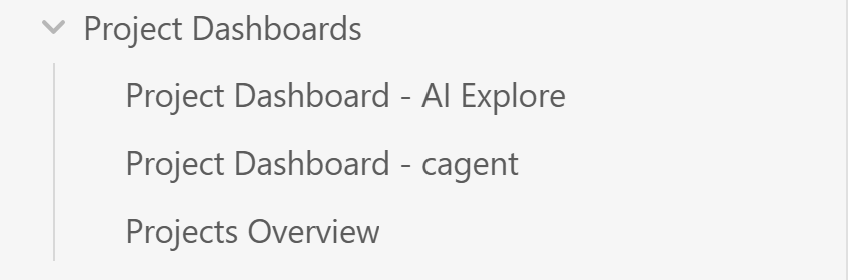
Here is what the Project Dashboard - AI Explore note displays:
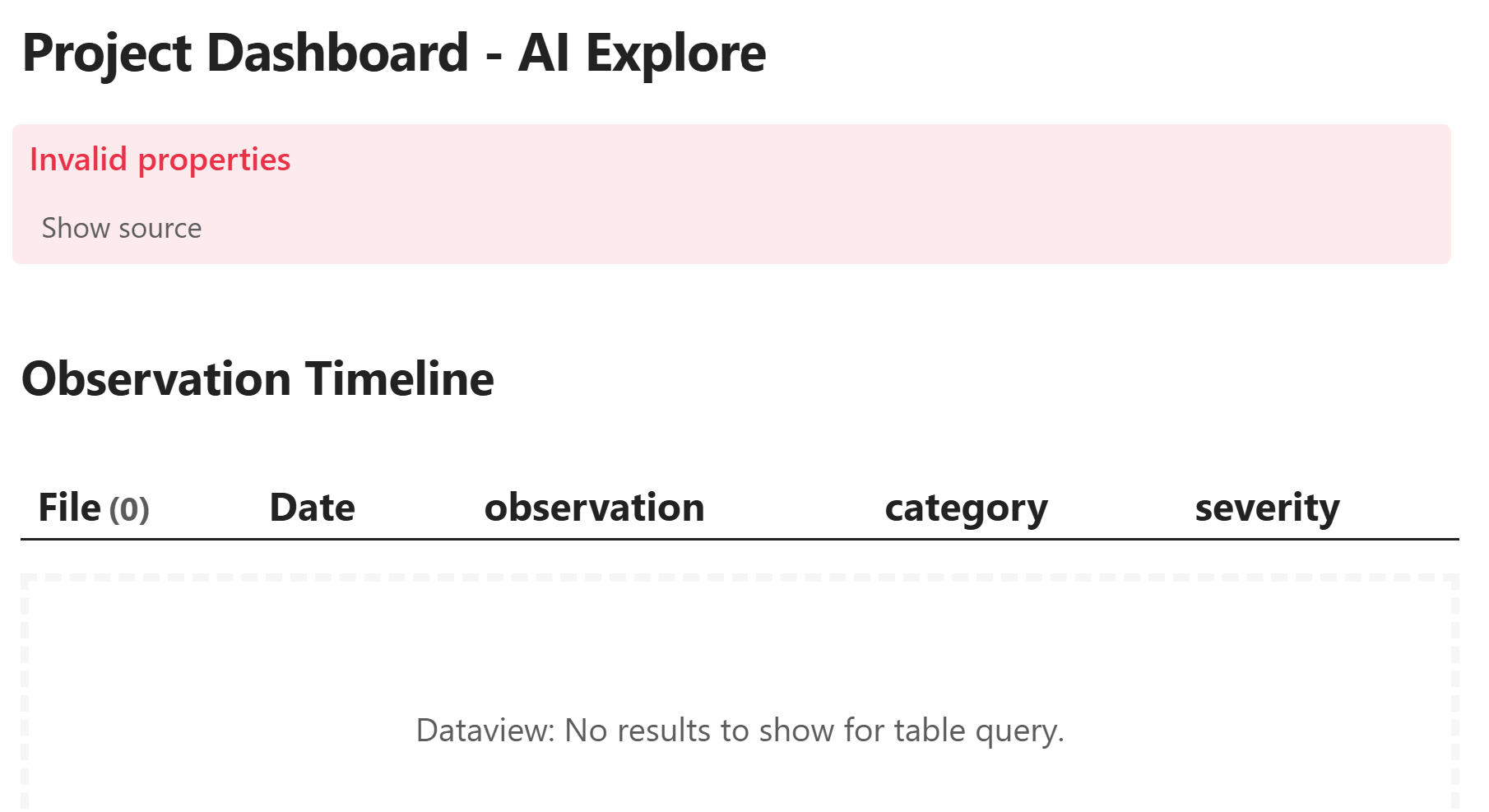
What the agent overlooked is a restriction associated with the Tasks plugin. The task plugin supports two type of queries but not concurrently. You have to configure the query type for either Task's built-in queries or Dataview formatted queries.

I am doing the Human-in-the-Loop (HIL) thing now, to correct the queries.
Where the agent went off-the-rails was converting non-Dockerized MCP server implementations. Being a big fan of Textual and interested in creating a MCP server to assist with developing Textual TUI's, the kevpoff/textual-mcp GitHub repository caught my eye. This was first my endeavor into debugging MCP servers and choosing a simpler MCP would have been smarter. The first iteration of a docker file generated a 16GB file! I eventually got it down to 2GB. I'll share more about that adventure in a later blog. Not only was this my first MCP server to debug, it was RAG-based with a full blown ML runtime which was the shiny feature that caught my attention.
What greatly improved Dockerfile and docker compose file generation were three things:
- Taking advantage of Cline's per project memory bank made a difference. You simply define a folder at the root of the project folder and name it "memory-bank". Then from within Cline type: initialize memory bank. Then occasionally run "update memory bank".
- Adding skills about working with docker. This allowed me to tamper down base image selections the agent made. And enforce, by way of editing the skill, that it generate secure (i.e. non-root user's) and multi-staged builds. Please see the section SKILLS below. I like skills because of the ability to add reference documents as outlined here.
- Using Cline's Planning mode. Iterating the plan before executing any changes provided the opportunity to review and verify.
Managing Skills Files.
Searching the web for pre-built skills, pasting them into a project's .cline/skills directory was simple. When juggling back-and-forth between projects and creating new projects, skills file management became an issue. Useful skills, more often that not, involved more that writing a SKILLS.md file.
Anthropic's new Plugins service is a agent skills publishing and distribution tool. I wanted a solution that was open. That led me to skills.sh. Installing the skills tool requires downloading the vercel-labs/skills repository. To tweak the installation to find skills by simply typing "skills find docker" I had to do the following:
pnpm install
pnpm setup
pnpm run build
pnpm link --global
Afterwards, from any project I could find and add skills. Below is the help information for skills:
martin@HPSpectre:~/projects/skills$ skills --help

Usage: skills <command> [options]

Commands:
  add <package>     Add a skill package
                    e.g. vercel-labs/agent-skills
                         https://github.com/vercel-labs/agent-skills
  remove [skills]   Remove installed skills
  list, ls          List installed skills
  find [query]      Search for skills interactively
  init [name]       Initialize a skill (creates <name>/SKILL.md or ./SKILL.md)
  check             Check for available skill updates
  update            Update all skills to latest versions

Add Options:
  -g, --global           Install skill globally (user-level) instead of project-level
  -a, --agent <agents>   Specify agents to install to (use '*' for all agents)
  -s, --skill <skills>   Specify skill names to install (use '*' for all skills)
  -l, --list             List available skills in the repository without installing
  -y, --yes              Skip confirmation prompts
  --all                  Shorthand for --skill '*' --agent '*' -y
  --full-depth           Search all subdirectories even when a root SKILL.md exists

Remove Options:
  -g, --global           Remove from global scope
  -a, --agent <agents>   Remove from specific agents (use '*' for all agents)
  -s, --skill <skills>   Specify skills to remove (use '*' for all skills)
  -y, --yes              Skip confirmation prompts
  --all                  Shorthand for --skill '*' --agent '*' -y

List Options:
  -g, --global           List global skills (default: project)
  -a, --agent <agents>   Filter by specific agents

Options:
  --help, -h        Show this help message
  --version, -v     Show version number

Examples:
  $ skills add vercel-labs/agent-skills
  $ skills add vercel-labs/agent-skills -g
  $ skills add vercel-labs/agent-skills --agent claude-code cursor
  $ skills add vercel-labs/agent-skills --skill pr-review commit
  $ skills remove                   # interactive remove
  $ skills remove web-design        # remove by name
  $ skills rm --global frontend-design
  $ skills list                     # list all installed skills
  $ skills ls -g                    # list global skills only
  $ skills ls -a claude-code        # filter by agent
  $ skills find                     # interactive search
  $ skills find typescript          # search by keyword
  $ skills init my-skill
  $ skills check
  $ skills update

Discover more skills at https://skills.sh/
To find docker skills from with any project, I simply type "skills find docker". An example is shown below:
martin@HPSpectre:~/projects/skills$ skills find docker

███████╗██╗  ██╗██╗██╗     ██╗     ███████╗
██╔════╝██║ ██╔╝██║██║     ██║     ██╔════╝
███████╗█████╔╝ ██║██║     ██║     ███████╗
╚════██║██╔═██╗ ██║██║     ██║     ╚════██║
███████║██║  ██╗██║███████╗███████╗███████║
╚══════╝╚═╝  ╚═╝╚═╝╚══════╝╚══════╝╚══════╝

Install with npx skills add <owner/repo@skill>

sickn33/antigravity-awesome-skills@docker-expert
└ https://skills.sh/sickn33/antigravity-awesome-skills/docker-expert

davila7/claude-code-templates@docker-expert
└ https://skills.sh/davila7/claude-code-templates/docker-expert

bobmatnyc/claude-mpm-skills@docker
└ https://skills.sh/bobmatnyc/claude-mpm-skills/docker

josiahsiegel/claude-plugin-marketplace@docker-best-practices
└ https://skills.sh/josiahsiegel/claude-plugin-marketplace/docker-best-practices

aj-geddes/useful-ai-prompts@docker-containerization
└ https://skills.sh/aj-geddes/useful-ai-prompts/docker-containerization

eddiebe147/claude-settings@docker-composer
└ https://skills.sh/eddiebe147/claude-settings/docker-composer
I am going to manage my skills files as much as possible with Vercel Labs skills. I have not looked into how to curate skills from other websites.
Cline Skills
Cline does detect skills if they're installed in ~/.agents/skills. Running cline config confirms this behavior:
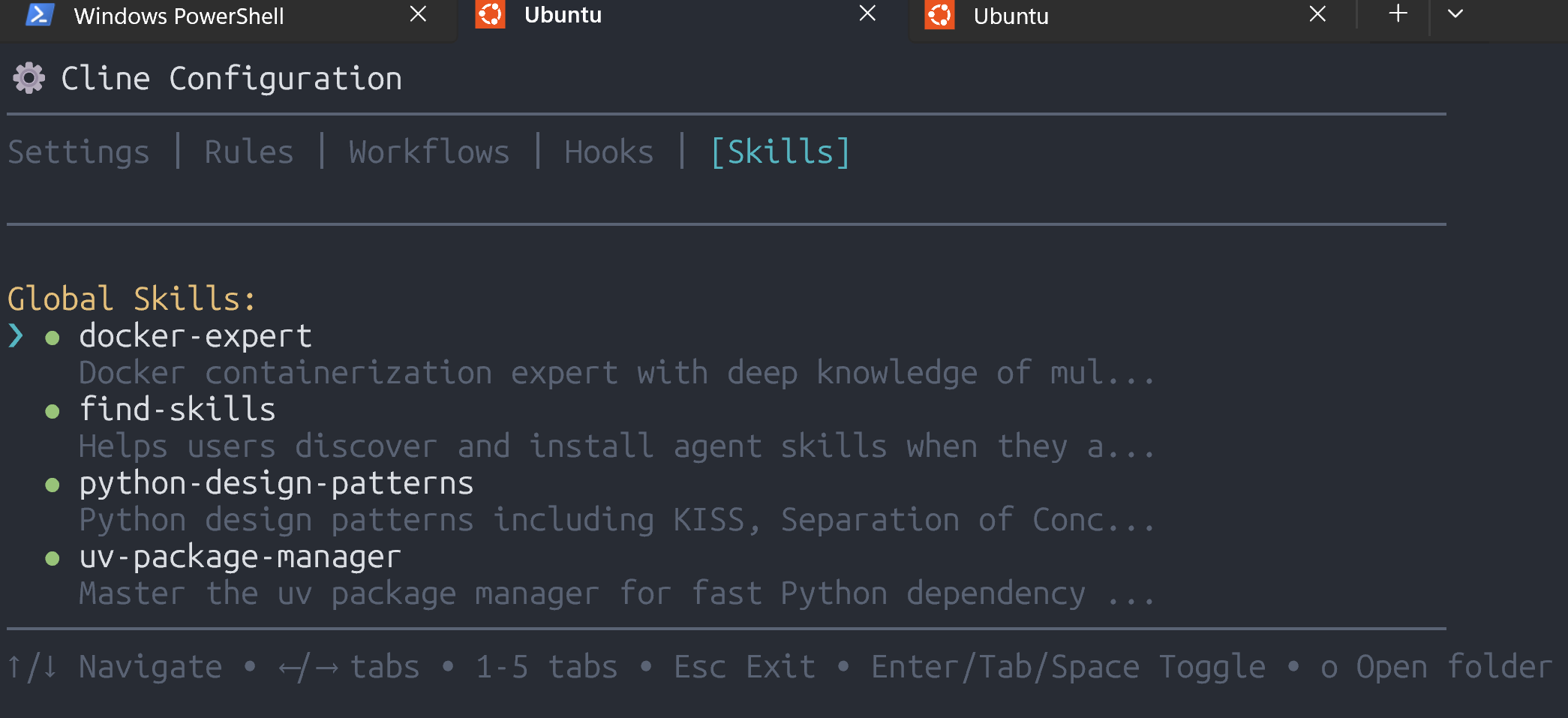
Once the find-skills skill is installed, referencing its use in a cline prompt will produce list of candidate skills to install and explore.
Cline Forever
We are awash in coding agents and sidecar type IDE add-ons for developing with AI. The branding efforts by Anthropic and OpenAI to embrace their ecosystem of coding agents are running full tilt. Gartner estimates the investment in infrastructure spending for Generative AI in 2025 to be ~$644B. And, for that amount of money, that's leaves enough left over for a big dessert. The main course for this AI investment feast is improving foundation models. The dessert being the coding agents.
As with many new AI tools, the agent provisioning has its own section in the documentation. Please take a look at Docker's MCP Toolkit and Gateway documentation as an example. It has instructions for configuring thirteen different agents.
You may have noticed that Cline is not included in the list of agents. To solve that you add the following to the cline_mcp_settings.json file. The file is located automatically for you when clicking the Configure MCP Servers button:
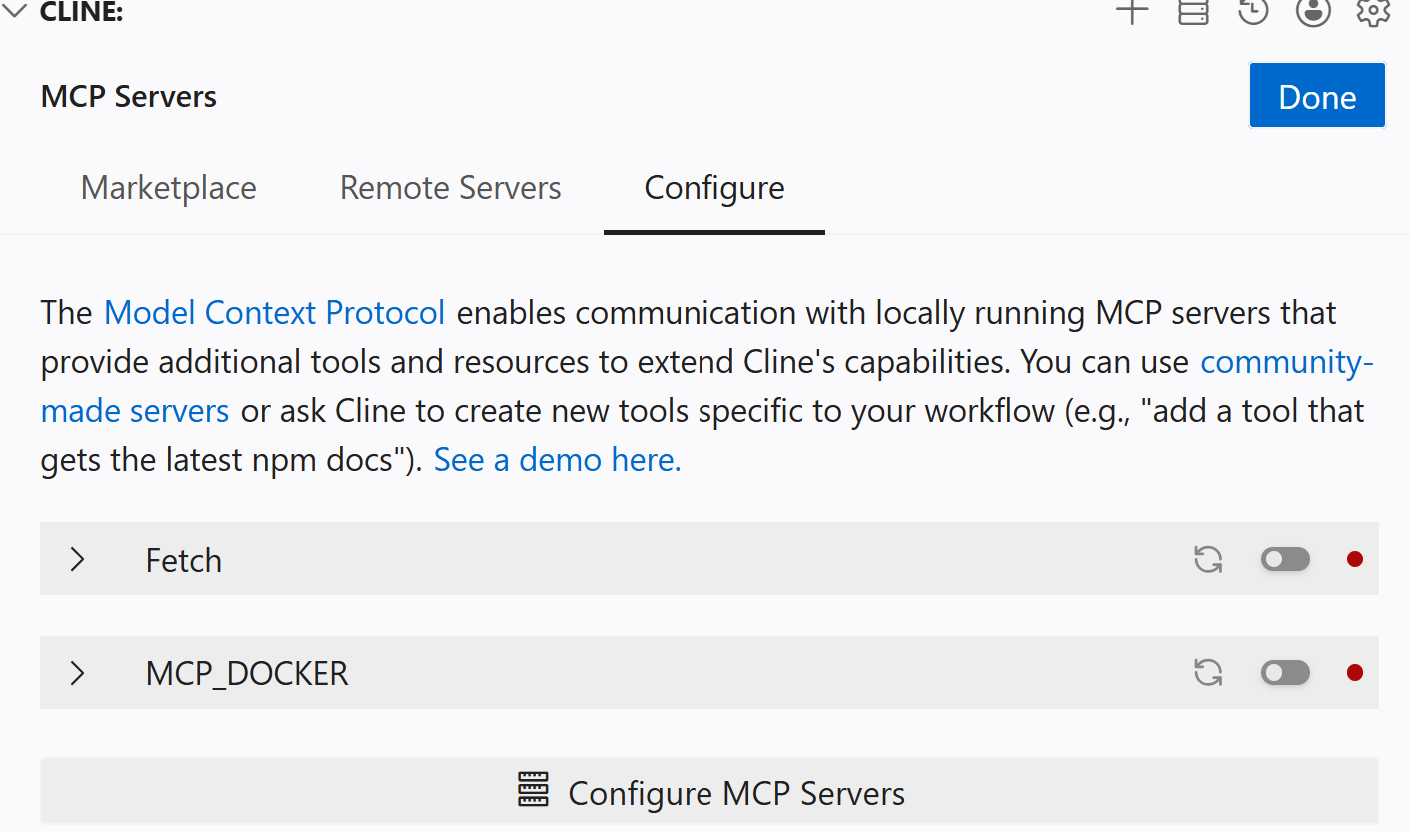
Then paste the following to overwrite the existing configuration, if any, with simply the Docker MCP Gateway server. I'll talk about about the Docker MCP Gateway server in a separate blog.
{
  "mcpServers": {
    "MCP_DOCKER": {
      "disabled": false,
      "timeout": 60,
      "type": "stdio",
      "command": "docker",
      "args": [
        "mcp",
        "gateway",
        "run"
      ]
    }
  }
}
I am drifting from away from my point. The news website, The Information, reported in late January that several Cline staffers joined OpenAI. And on-going branding efforts by OpenAI and Anthropic are drawing a lot of eyeballs. Where does Cline stand amongst all this agent coding noise. Should I switch is the question?
My answer is I think not. The ability to run agent processes in the background and recent release of Cline CLI excites me. The integration between Cline and Cline CLI via sub-agents is especially interesting. I am already hooked on Cline CLI. Check out this video for an overview of the improvements.
I hope Cline can secure the necessary resources to survive the current environment of rapid feature development cycles by coding agent providers.